Guide
How to use SearchGuests
Real screenshots of the actual app — the flows most worth seeing before your first event, not a full manual.
Step 2 of 7
Install it on your phone
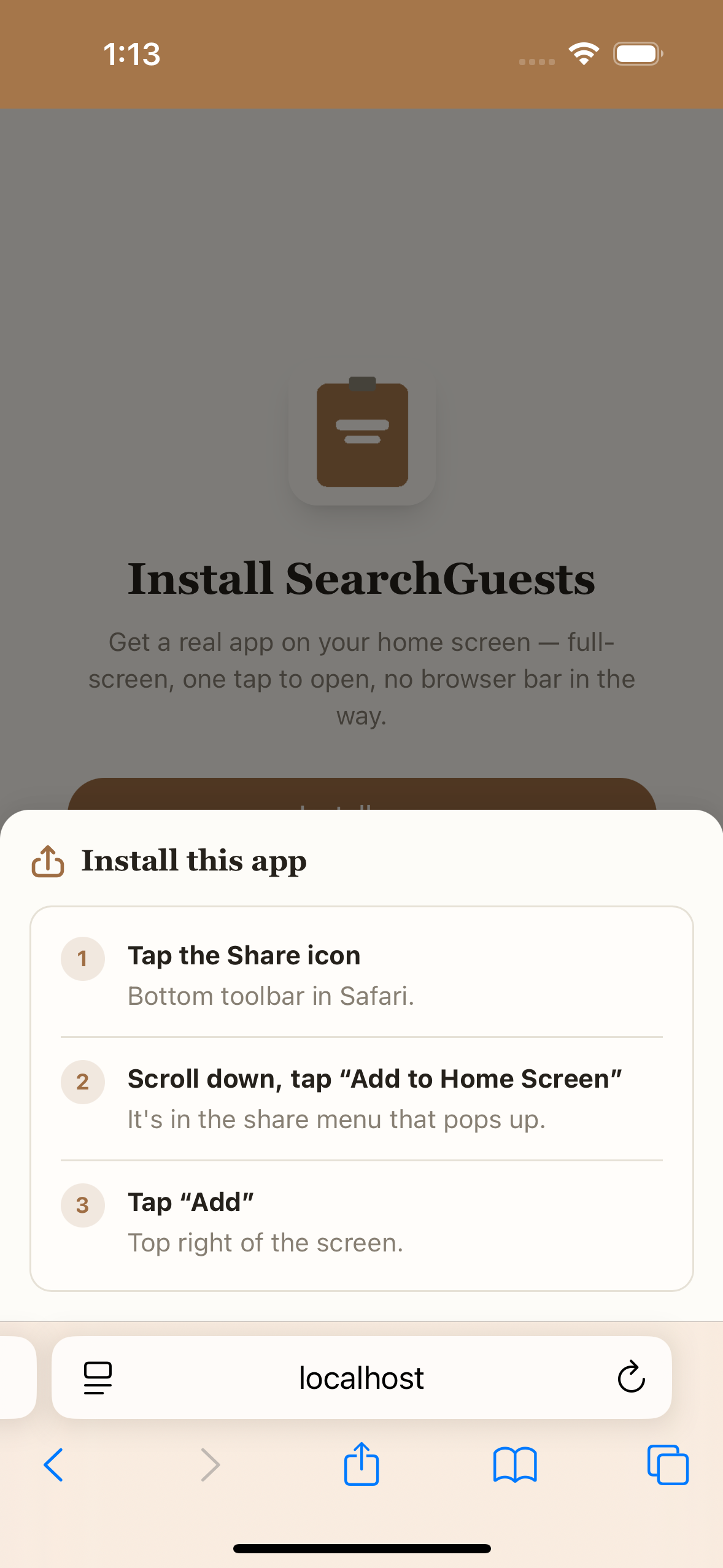
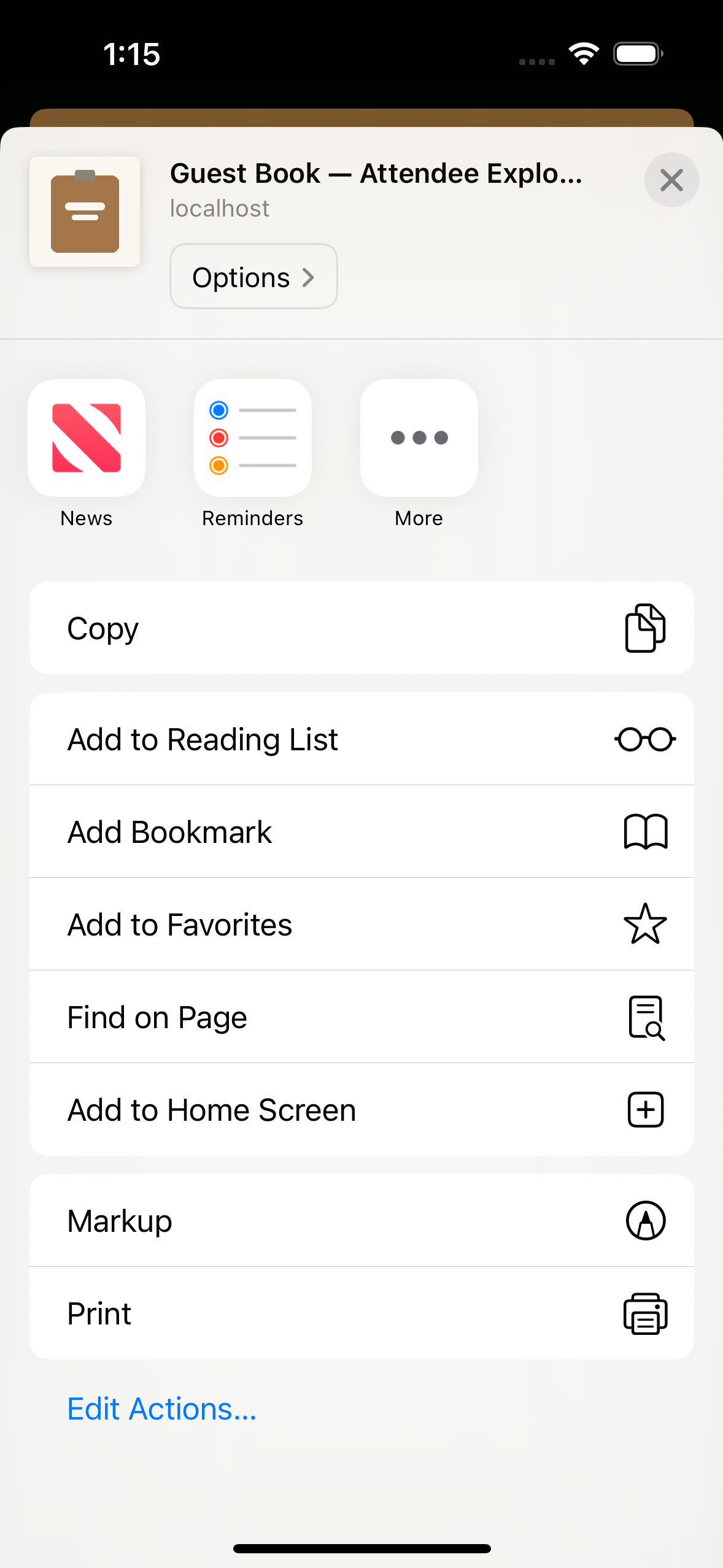
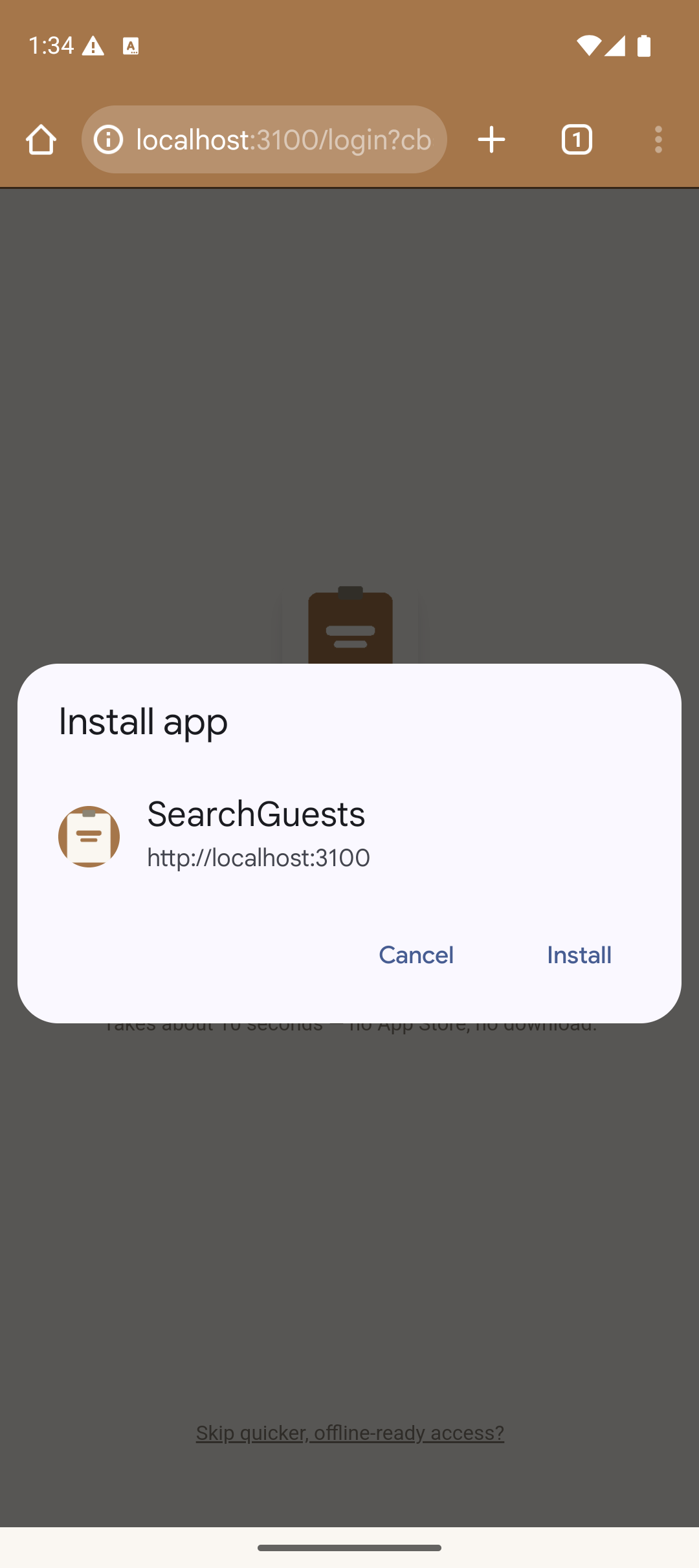
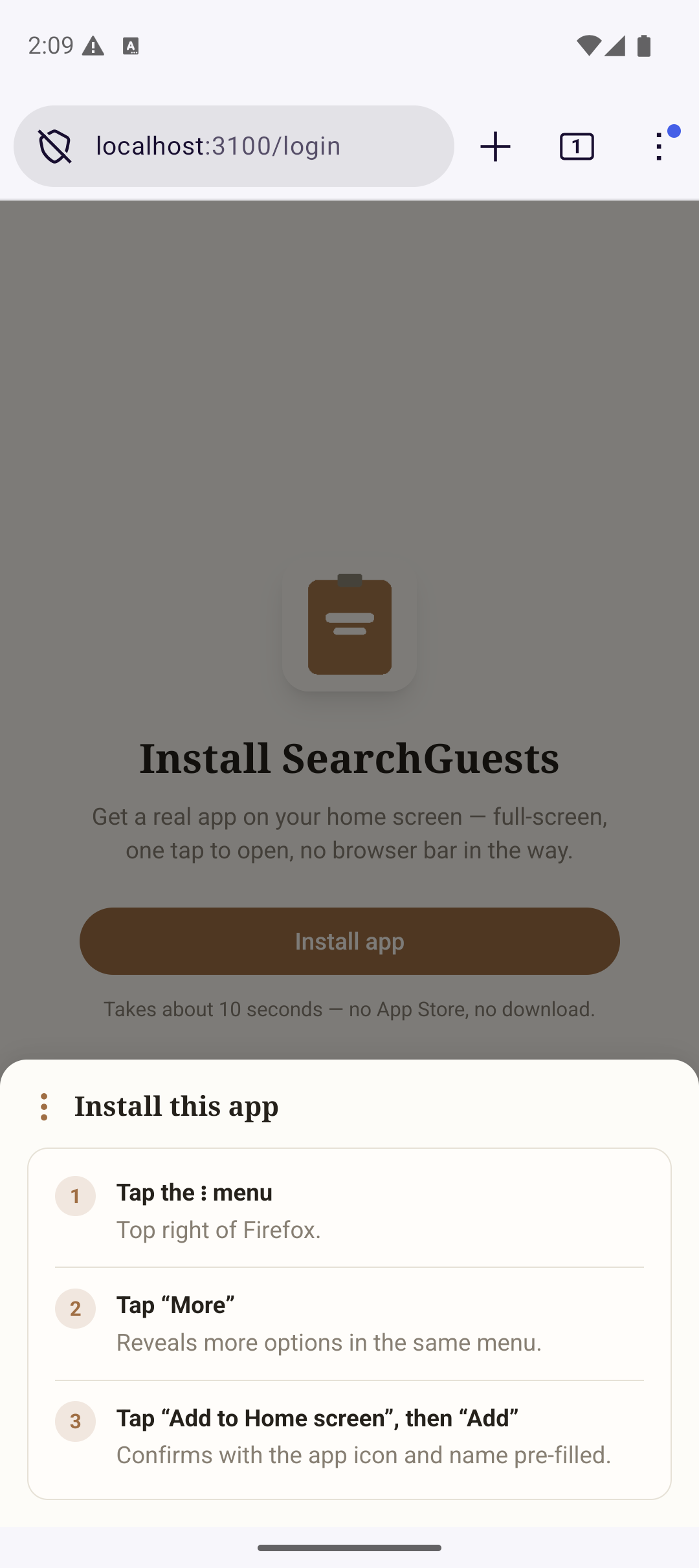
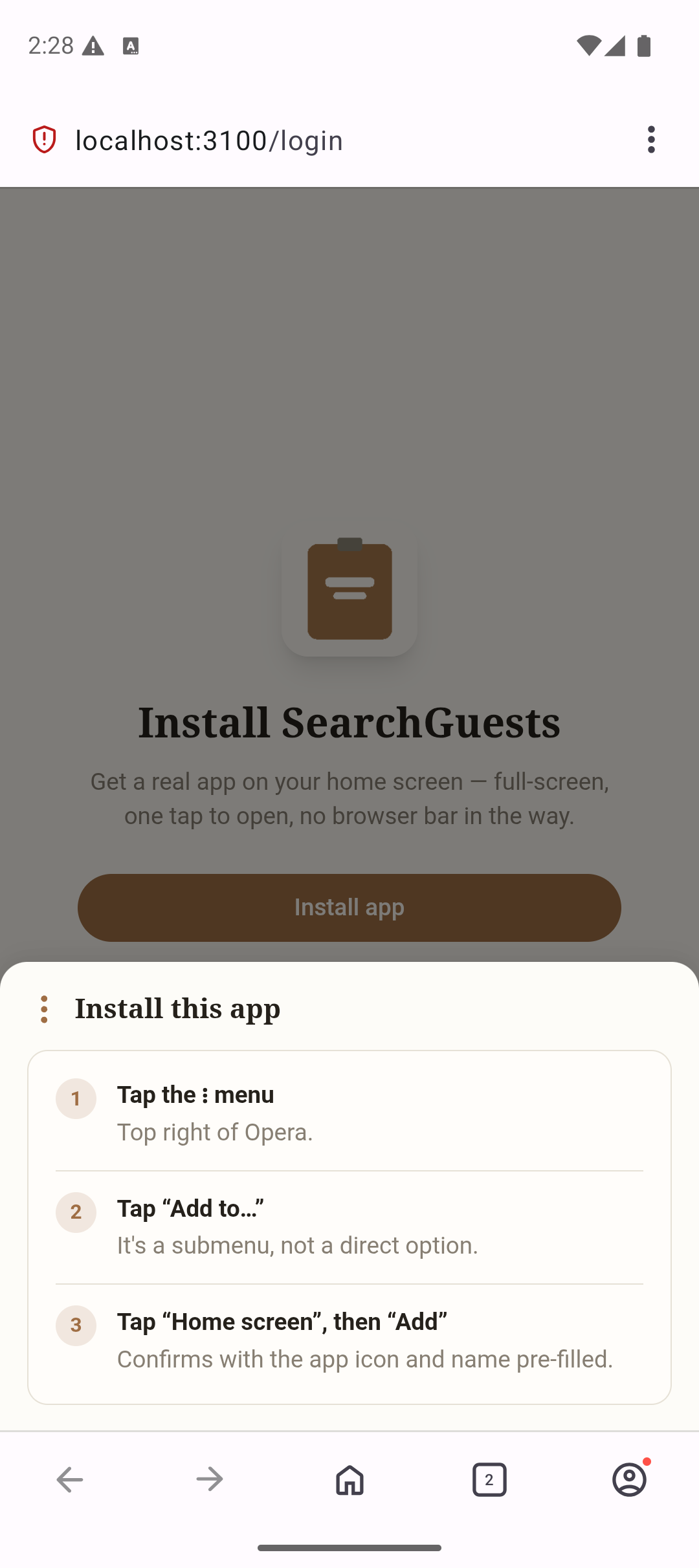
Get a real app icon on your home screen — full-screen, one tap to open, no browser bar in the way. The exact steps depend on your phone and browser; SearchGuests shows you the right ones automatically.
iPhone — Safari
Android — Chrome
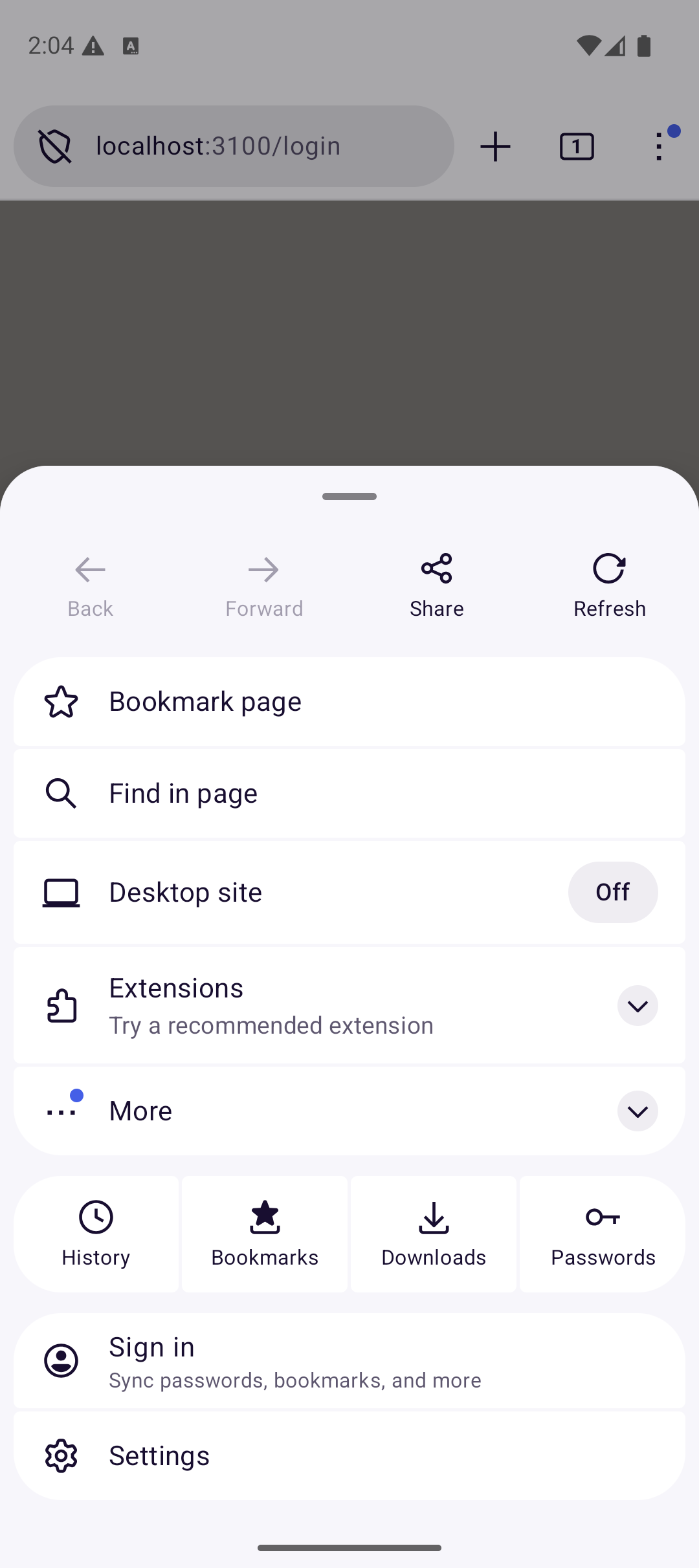
Android — Firefox
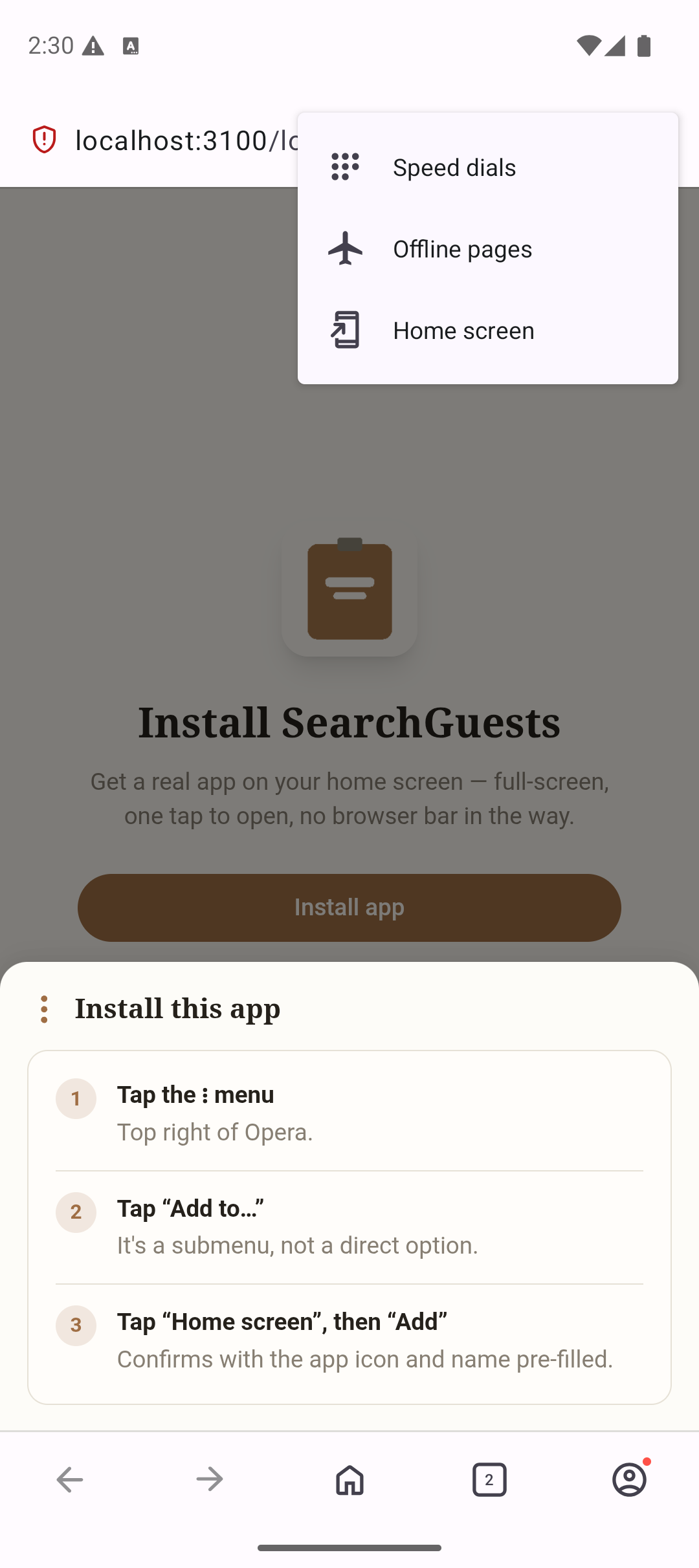
Android — Opera
On a desktop browser (Chrome or Edge), look for an install icon directly in the address bar — no in-app steps needed.